Windows 10
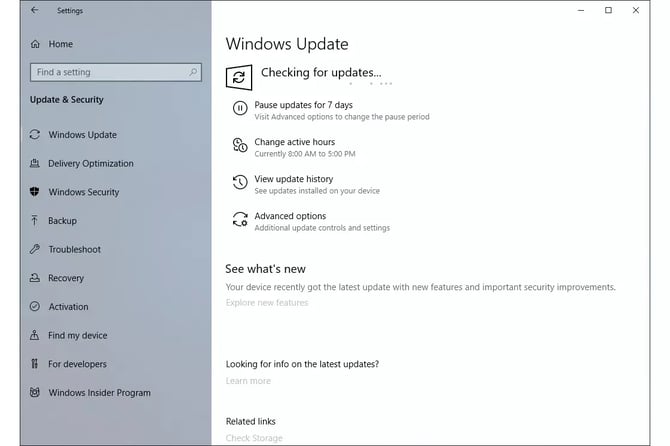
В Windows 10 Центр обновления Windows находится в разделе «Параметры».
Чтобы открыть «Параметры», выберите меню «Пуск», затем значок шестеренки/параметров слева. В этом меню выберите «Обновление и безопасность», а затем «Центр обновления Windows» слева.
Чтобы проверить наличие новых обновлений Windows 10, выберите пункт «Проверить наличие обновлений».
В Windows 10 загрузка и установка обновлений происходит автоматически и выполняется сразу после проверки или, в случае некоторых обновлений, в то время, когда вы не используете компьютер.
Windows 8/8.1
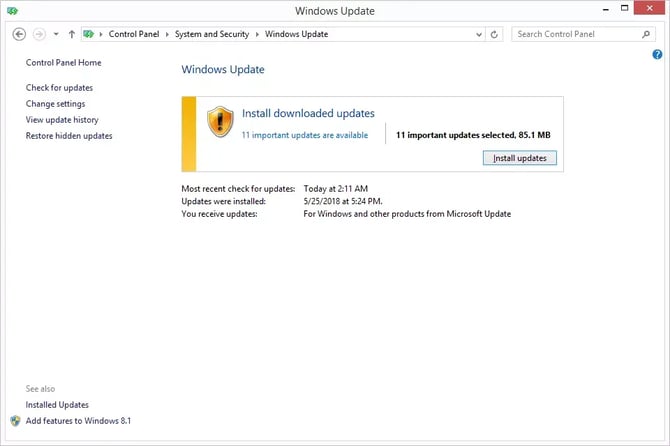
В Windows 8/8.1 лучший способ получить доступ к Центру обновления Windows — через Панель управления.
Windows Update is included as an applet in the Control Panel, complete with configuration options and update history.
To update, simply open the Control Panel and choose Windows Update.
Select Check for updates to check for new, uninstalled updates. Installation either occurs automatically or might need to be initiated by you via the Install updates button, depending on what version of Windows you are using and how you have Windows Update configured.
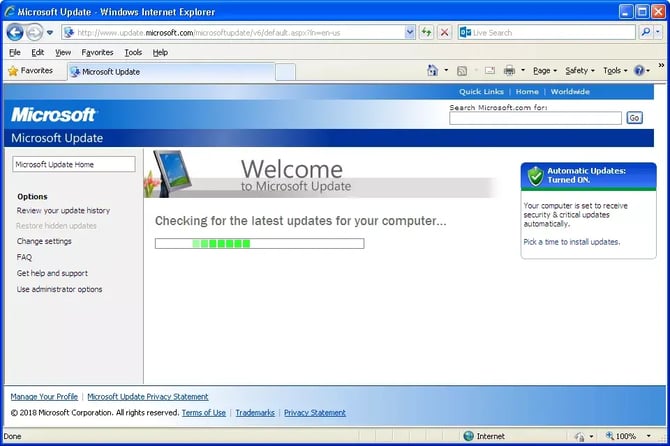
Note for Windows 7/Vista/XP/2000/98/95:
⛔ Microsoft has ended support for Windows 7/Vista/XP/2000/98/95. Therefore, Updates will not be up to date. To cover the requirement of running windows updates simply run Windows Update in these versions of Windows as far as updates are available.
Windows 7/Vista
Windows Updates for Windows 7/Vista are available in the Control Panel.
Open Control Panel and choose Windows Update.
Select Check for updates to check for new, uninstalled updates. Installation either occurs automatically or might need to be initiated by you via the Install updates button, depending on what version of Windows you are using and how you have Windows Update configured.
Windows XP and previous versions.
In Windows XP and previous versions of Windows, Windows Update is available as a service hosted on Microsoft's Windows Update website.
Similar to the Control Panel applet and Windows Update tool in newer versions of Windows, available Windows updates are listed alongside a few simple configuration options.
To check for and install uninstalled updates for these older operating systems, select the respective links and buttons that will be offered on the Windows Update website.